Quick Tips: llama.cpp - Run local LLMs on any hardware with one binary
Plus cut agent tokens with Headroom

Grab your coffee. Here are this week’s highlights.
📅 Today’s Picks
Headroom - Cut agent tokens without touching your prompts
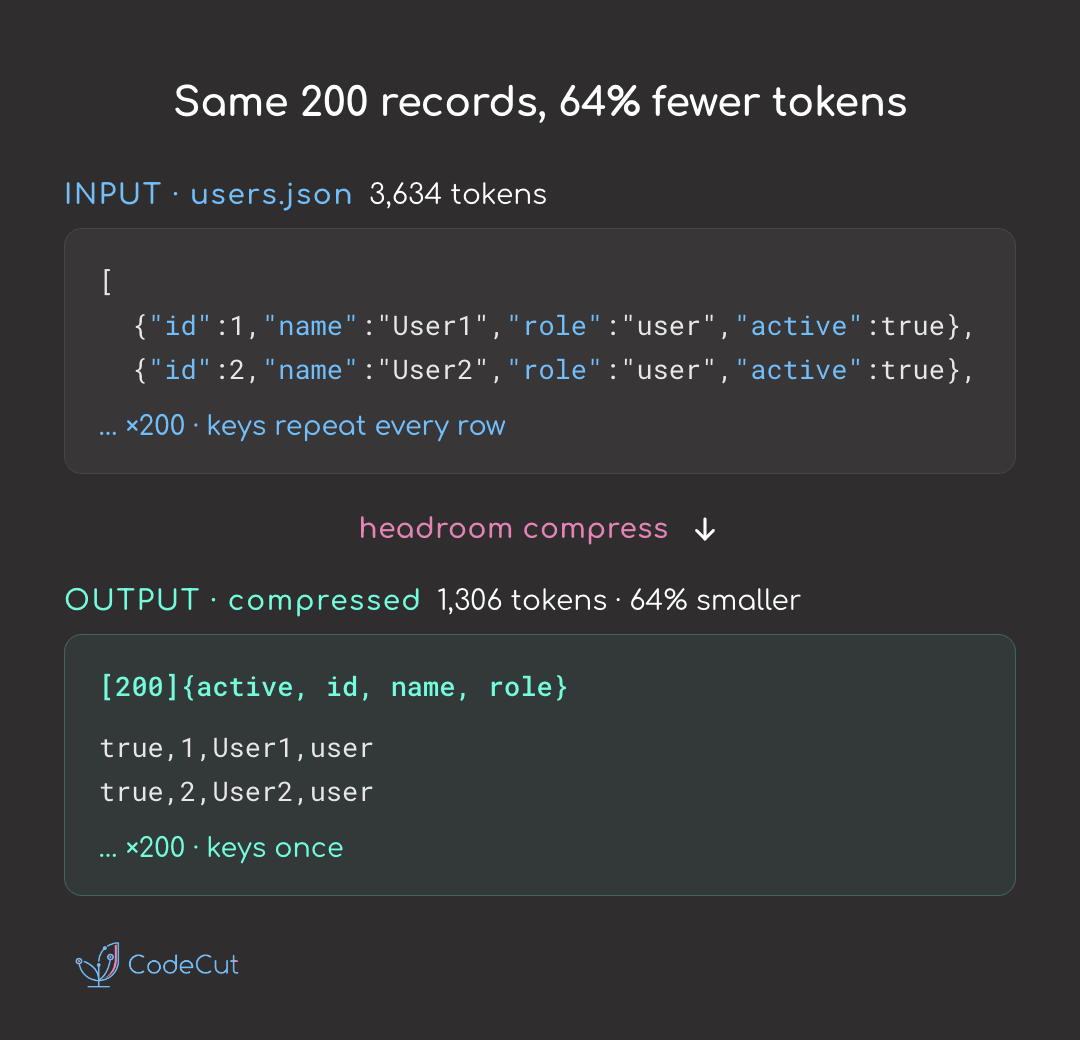
Problem
AI agents can waste tokens on context they do not fully need.
Long logs, full files, API responses, and retrieved documents often contain repeated structure that slows the model down.
Solution
Headroom compresses what your agent reads before it reaches the model, helping reduce token usage and cost.
Key benefits:
Compresses JSON, code, logs, diffs, and plain text
Keeps original content available when the agent needs more detail
Works with Claude Code, Codex, Cursor, or directly as a Python library
llama.cpp - Run local LLMs on any hardware with one binary
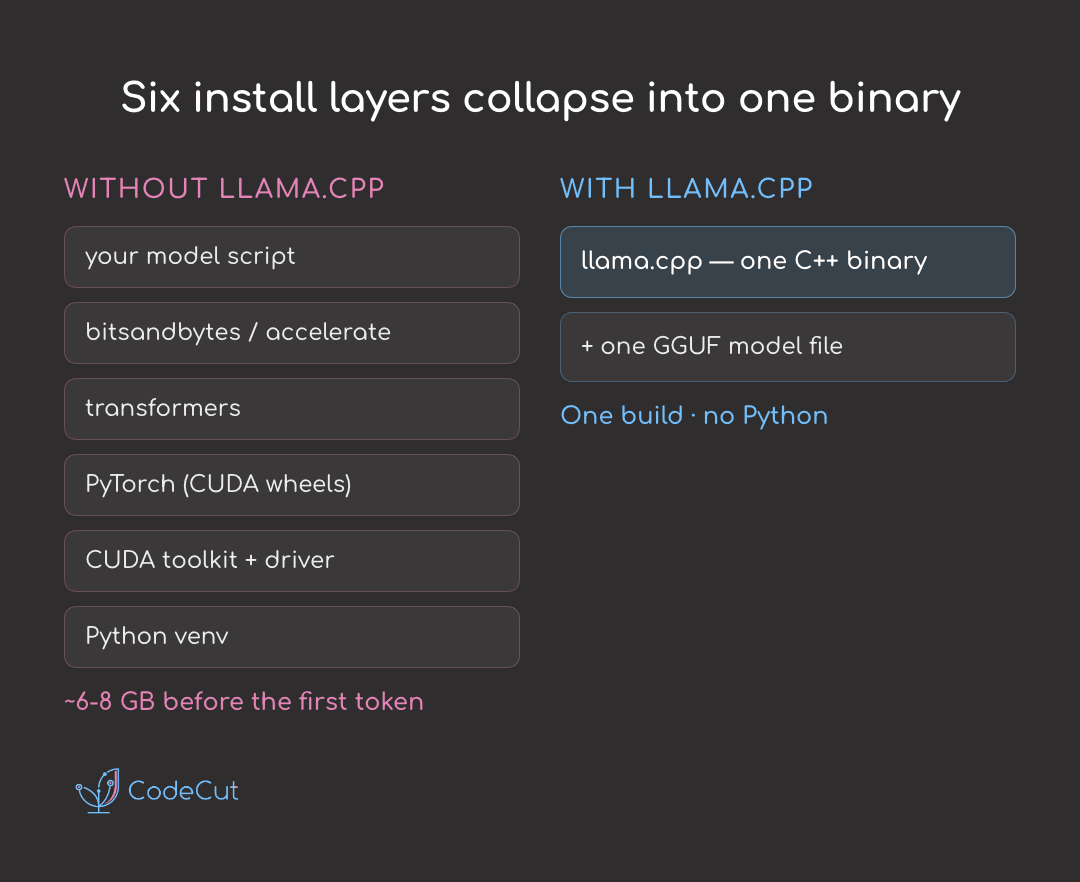
Problem
Running an open LLM locally usually means a heavy Python stack, CUDA drivers, and several gigabytes of dependencies.
This adds friction everywhere: installation takes longer, dependencies break more easily, and the same model may behave differently across hardware.
Solution
llama.cpp makes local inference more portable by replacing the heavy Python/CUDA setup with a C++ runtime that supports GGUF models.
Key benefits:
No heavy Python environment required
Works on CPUs, Mac GPUs, NVIDIA GPUs, and AMD GPUs
Loads GGUF-quantized models designed for lower memory use
Direct Hugging Face model loading
Built-in tools for chatting, serving, benchmarking, and quantizing models
💬 Rate Your Experience
How would you rate your newsletter experience? Share your feedback →
🔍 Explore More on CodeCut
Tool Selector - Discover 70+ Python tools for AI and data science
Production Ready Data Science - A practical book for taking projects from prototype to production