Never Use yaml.load() in Python. Here’s Why.
Plus stop AI from hallucinating library APIs

Grab your coffee. Here are this week’s highlights.
📅 Today’s Picks
Never Use yaml.load() in Python. Here’s Why.
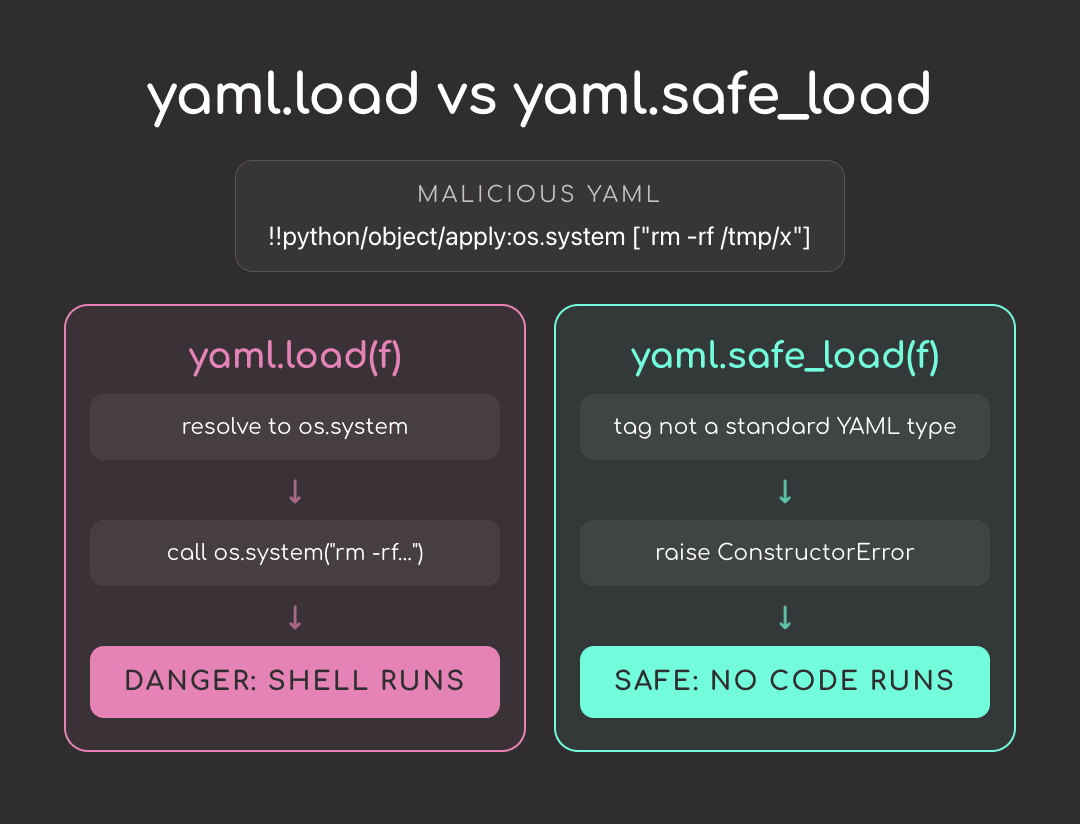
Problem
Has your AI assistant ever suggested yaml.load() to parse a config file?
It’s an easy mistake: yaml.load() looks like a clean way to turn YAML into a Python dict, and AI tools generate it freely because it appears in plenty of legacy code.
But yaml.load() can do more than parse text. It can execute Python objects embedded in the YAML, meaning anyone who controls that file could run shell commands on your machine.
Solution
Use yaml.safe_load() instead. It only supports standard YAML types like mappings, lists, strings, numbers, booleans, and null, and rejects anything that tries to execute code.
To catch unsafe yaml.load() calls automatically, scan your codebase with Bandit.
Context7: Stop AI Agents from Generating Deprecated Syntax
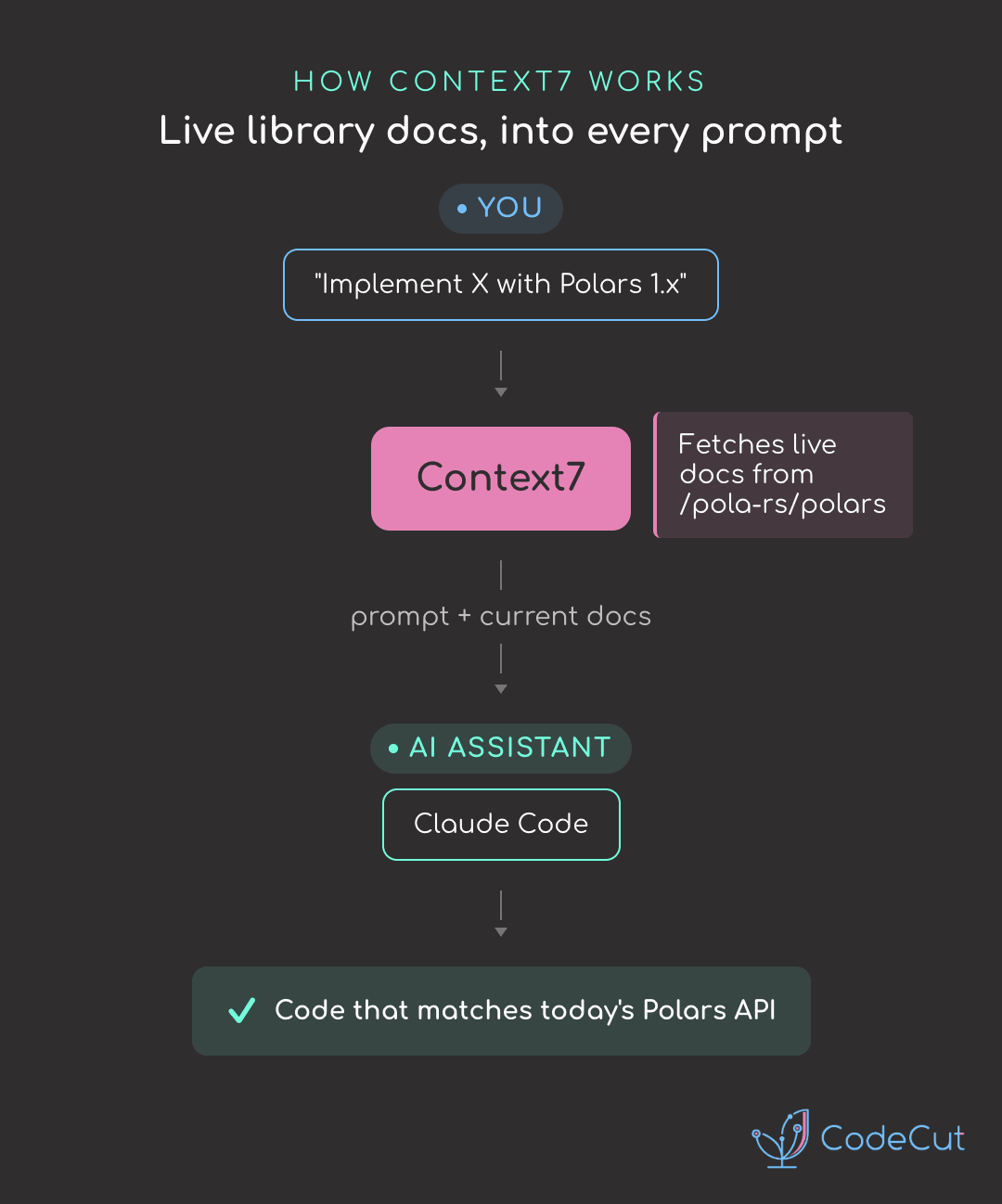
Problem
AI coding assistants often generate code using training data that may already be outdated.
That means if you ask for Polars 1.x code, the model may still generate deprecated 0.x APIs from older training data.
Solution
Context7 solves this by pulling the latest, version-specific library docs directly into the prompt before the assistant writes any code. That way, it generates code against the API that actually exists today.
Other capabilities:
One command sets it up across Cursor, Claude Code, Copilot, and 30+ clients
Trigger with
use context7in any promptRuns as either an MCP server or a CLI + skill, so it works with or without MCP support
Automatically loads version-matched docs like “Polars 1.0
☕️ Weekly Finds
beartype [Code Quality] - Near-real-time pure-Python runtime type-checker. Decorate a function and catch type violations the moment they happen, not after a stack trace.
vulture [Code Quality] - Find dead Python code. Scans your project for unused functions, classes, imports, and variables so you can safely delete them.
pyupgrade [Code Quality] - A tool (and pre-commit hook) that automatically upgrades Python syntax to newer language versions. Drop f-strings, dict literals, and modern type hints in one sweep.
💬 Rate Your Experience
How would you rate your newsletter experience? Share your feedback →
🔍 Explore More on CodeCut
Tool Selector - Discover 70+ Python tools for AI and data science
Production Ready Data Science - A practical book for taking projects from prototype to production