Granite Vision: Convert Chart Images to CSV with Transformers
Plus control OpenAI data retention with PydanticAI

Grab your coffee. Here are this week’s highlights.
📅 Today’s Picks
Granite Vision: Convert Chart Images to CSV with Transformers
Problem
Chart data often contains valuable insights, but extracting numbers from these charts manually is time-consuming and tedious.
Solution
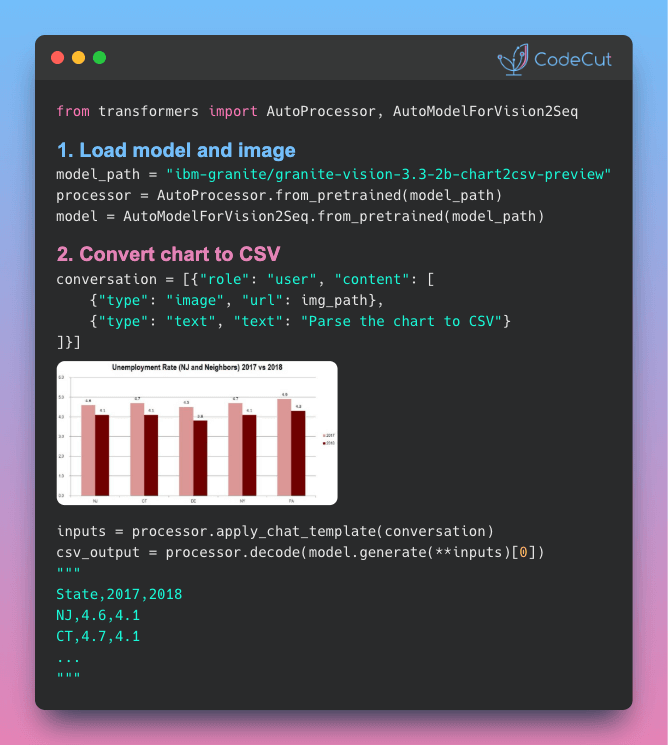
IBM’s Granite Vision 3.3 2B converts chart images directly into structured CSV data using Hugging Face Transformers.
Here’s how to extract structured data from any chart image in three steps.
1. Load the Model
Load the chart-to-CSV model from HuggingFace using the transformers library.
from transformers import AutoProcessor, AutoModelForVision2Seq
from huggingface_hub import hf_hub_download
from PIL import Image
import torch

model_path = "ibm-granite/granite-vision-3.3-2b-chart2csv-preview"
device = "cuda" if torch.cuda.is_available() else "cpu"

processor = AutoProcessor.from_pretrained(model_path)
model = AutoModelForVision2Seq.from_pretrained(model_path).to(device)
2. Prepare Your Chart
Define the chart image and task instruction in a conversation format.
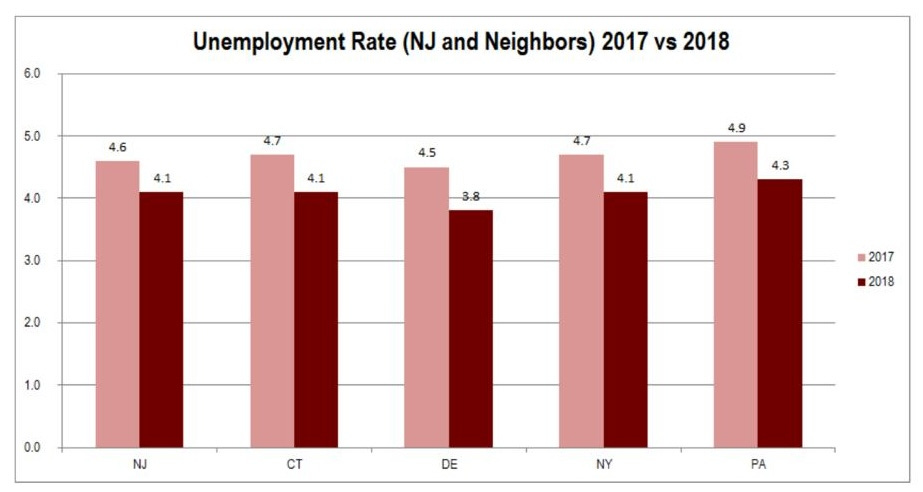
# Load a chart image
img_path = hf_hub_download(
    repo_id=model_path, filename="example.jpg"
)
img = Image.open(img_path)

# Use the chart-to-CSV prompt
conversation = [
    {"role": "user", "content": [
        {"type": "image", "url": img_path},
        {"type": "text", "text": "Parse the chart in the image to CSV format."}
    ]}
]
3. Generate CSV Output
Apply the chat template, generate tokens, and decode back to CSV text.
inputs = processor.apply_chat_template(
    conversation,
    add_generation_prompt=True,
    tokenize=True,
    return_dict=True,
    return_tensors="pt"
).to(device)

output = model.generate(**inputs, max_new_tokens=500)
csv_output = processor.decode(output[0], skip_special_tokens=True)
print(csv_output)
Output:
State,2017,2018
NJ,4.6,4.1
CT,4.7,4.1
DE,4.5,3.8
NY,4.7,4.1
PA,4.9,4.3
PydanticAI: Control OpenAI Data Retention with openai_store
Problem
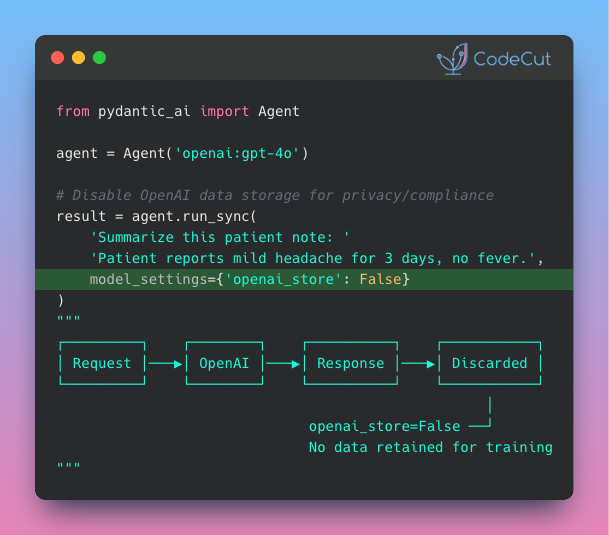
By default, OpenAI may retain your API request data for internal review and model improvement. For healthcare, finance, and legal applications, this default creates compliance risks you can’t afford.
Solution
PydanticAI v1.52.0 introduces the openai_store setting to explicitly disable data retention in one line.
💬 Rate Your Experience
How would you rate your newsletter experience? Share your feedback →
☕️ Weekly Finds
msgvault [Data Management] - Archive a lifetime of email and chat locally with full Gmail backup, search, DuckDB-powered analytics, an interactive TUI, and an MCP server for querying messages with AI
monty [Developer Tools] - Minimal, secure Python interpreter written in Rust designed for use by AI agents, providing sandboxed code execution with safety guarantees
baserow [No-Code Platform] - Open-source no-code platform for building databases, applications, automations, and AI agents with enterprise-grade security and self-hosted deployment options
🔍 Explore More on CodeCut
Tool Selector - Discover 70+ Python tools for AI and data science
Production Ready Data Science - A practical book for taking projects from prototype to production